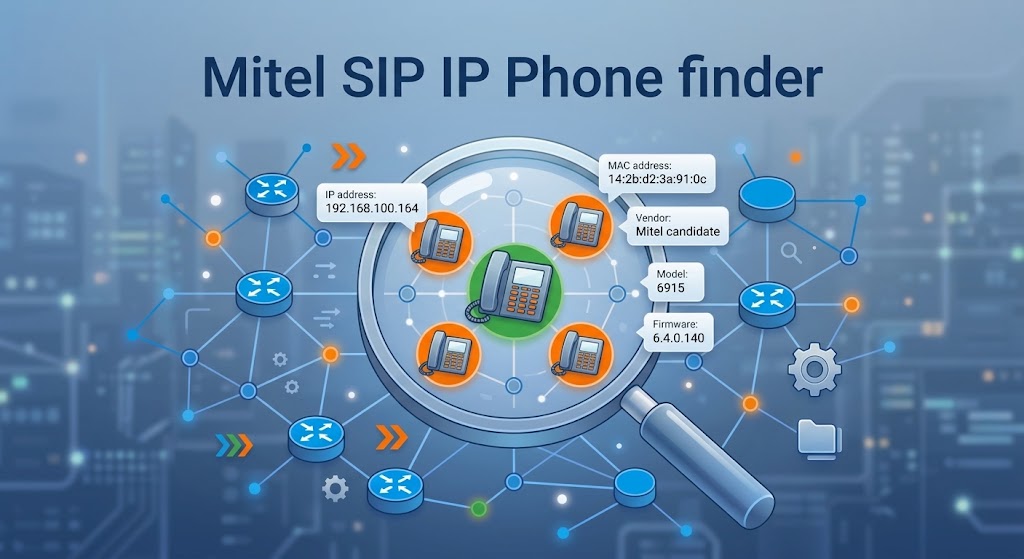
Find every Mitel 6900-series IP phone on a subnet — IP address, MAC address, model and firmware — from a single download on Windows and macOS.
No Nmap. No Npcap. No WinPcap. No Python on the target machine. No administrator or root rights. Discovery uses nothing but ordinary TCP/UDP sockets and the Windows ARP cache.
What it is
| Language | Python |
| Framework | PySide6 (GUI), pure sockets (engine) |
| Platforms | Windows 10/11 (x64), macOS 11+ (Apple silicon / Intel) |
| License | MIT |
| Repository | github.com/dirazi83/Mitel-6900-SIP-IP-Finder |
A zero-install network scanner that identifies Mitel 6900-series IP phones by combining MAC OUI lookup, HTTP realm fingerprinting, and SIP OPTIONS probing — all without packet drivers or admin rights.
How it works
- Step 1 — Sweep
- TCP connect to ports 80/443 on every address in the subnet (128 threads, ~3 s per /24). Forces OS ARP resolution.
- Step 2 — MAC
- Read `arp -a`, map IP → MAC, filter by Mitel OUIs (08:00:0F, 00:08:5D) or user-supplied prefixes.
- Step 3 — HTTP
- GET / on 80/443 reads `WWW-Authenticate: Basic realm="Mitel 6915"` — realm names the exact model.
- Step 4 — SIP
- Single OPTIONS to UDP 5060 returns `User-Agent: Mitel-6920-SIP/6.4.0.140` — model + firmware.
Every host is reported with the evidence that matched it, so a MAC-prefix guess is never presented as a confirmed phone.
Detection example
- 192.168.100.164 | 14
- 2b:d2:3a:91:0c | Mitel candidate | 6915 | 6.4.0.140 | 80,443 | MAC prefix 14:2b; web signature (80)
- 192.168.100.171 | 08
- 00:0f:1a:44:e2 | Mitel Corporation | 6930 | 6.4.0.140 | 80,443 | OUI: Mitel Corporation; SIP OPTIONS reply
Features
- Zero install — one portable
.exe, nothing to deploy on the machine you run it from. - No packet driver, no admin rights — plain sockets and
arp -a, so it runs on a locked-down corporate laptop. - Fast — a /24 subnet sweeps in about 3 seconds with 128 threads.
- Real identification, not guesswork — reads the phone's HTTP realm and SIP User-Agent to report the exact model and firmware.
- Configurable MAC filter — defaults to the
14prefix, accepts any list, or leave blank to match on web/SIP signature alone. - GUI and CLI in one binary — double-click for the window, or pass a subnet on the command line for scripting.
- CSV export — results straight into an inventory spreadsheet.
- Read-only — no credentials used, no phone configuration touched, no calls placed.
Quick start
Windows
- Download
MitelPhoneFinder.exefrom Releases. - Run it. SmartScreen may warn — choose More info → Run anyway, or build from source.
- Pick the subnet (local interfaces detected automatically), then Start scan.
macOS
- Download the zip for your architecture from Releases and unzip.
- First launch: right-click → Open → Open, or:
bash xattr -dr com.apple.quarantine "Mitel Phone Finder.app" - On macOS 15+, approve the Local Network prompt — without it every scan comes back empty.
Usage
GUI
| Control | Meaning |
|---|---|
| Subnet, range or IP | 192.168.100.0/24, 10.0.2.10-60, or a single address |
| MAC starts with | Comma-separated prefixes, e.g. 14, 08:00:0f. Blank matches any MAC |
| HTTP/HTTPS fingerprint | Reads Server and WWW-Authenticate realm on ports 80/443 |
| SIP OPTIONS probe | One UDP packet to 5060; returns model and firmware |
| MAC matches only | Suppresses hosts that matched by web signature alone |
Command line
MitelPhoneFinder.exe 192.168.100.0/24
MitelPhoneFinder.exe 10.0.2.10-60 --mac 14,08:00:0f --csv phones.csv
MitelPhoneFinder.exe 192.168.100.164 --no-sip
| Option | Default | Description |
|---|---|---|
--mac PREFIXES |
14 |
Comma-separated MAC prefixes to match |
--mac-only |
off | Report only MAC matches |
--no-web |
off | Skip HTTP/HTTPS fingerprinting |
--no-sip |
off | Skip the SIP OPTIONS probe |
--timeout SECONDS |
0.6 |
Per-port connect timeout |
--threads N |
128 |
Concurrent sockets |
--csv FILE |
— | Write results to CSV |
MAC prefixes
The IEEE-registered Mitel OUIs are 08:00:0F (Mitel Corporation) and 00:08:5D (Mitel/Aastra).
14 is not a registered Mitel OUI. It is supported because some fleets are provisioned on hardware in that range, but it is treated as a user-supplied filter rather than proof of vendor. The HTTP realm and the SIP User-Agent are the authoritative identification — trust those columns first.
Requirements
Release build: Windows 10/11 (x64) or macOS 11+ (Apple silicon / Intel). Nothing else.
From source: Python 3.9+ and PySide6 (GUI only — the scan engine imports nothing outside the standard library).
Build from source
git clone https://github.com/dirazi83/Mitel-6900-SIP-IP-Finder.git
cd Mitel-6900-SIP-IP-Finder
python -m venv env
env\Scripts\python.exe -m pip install -r requirements.txt pyinstaller   # Windows
env/bin/python -m pip install -r requirements.txt pyinstaller           # macOS
env\Scripts\python.exe main.py   # Windows
env/bin/python main.py           # macOS
Produce the standalone executable:
env\Scripts\python.exe -m PyInstaller --noconfirm --clean MitelPhoneFinder.spec   # Windows
env/bin/python -m PyInstaller --noconfirm --clean MitelPhoneFinder.spec           # macOS
Troubleshooting
| Symptom | Cause and fix |
|---|---|
Hosts respond but MAC column shows - |
Not on the phones' VLAN — scan the voice VLAN from a PC on that VLAN |
| No results at all | Check subnet; raise Timeout to 1.5 s for slow links |
Phone found but Model is - |
Web server disabled or SIP on non-default port — MAC match still works |
| Scan is slow | Lower timeout, raise threads, or scan a range instead of full /24 |
| SmartScreen blocks download | Unsigned binary — verify SHA-256 or build from source |
| macOS says "app is damaged" | Gatekeeper quarantine — right-click Open, or xattr -dr com.apple.quarantine |
| macOS scan returns nothing | Local Network access denied — enable in System Settings → Privacy & Security |
Antivirus flags the .exe |
PyInstaller false positive — build from source if policy requires |
Limitations
- MAC discovery is Layer 2: same Ethernet segment/VLAN only
- Phone with web disabled AND SIP on non-standard port: detectable by MAC only
- Windows and macOS. Linux works from source but is not built/tested by CI
- macOS build is unsigned — first launch needs Gatekeeper override
- MAC prefix match is a candidate, not proof — confirm with the Model column
- Empty result does not prove there are no phones
Legal and safety
This tool performs read-only network discovery: TCP connection attempts, one HTTP GET, and one SIP OPTIONS request. It never authenticates, never changes phone configuration, and never places a call.
Scan only networks you own or are authorised to administer.