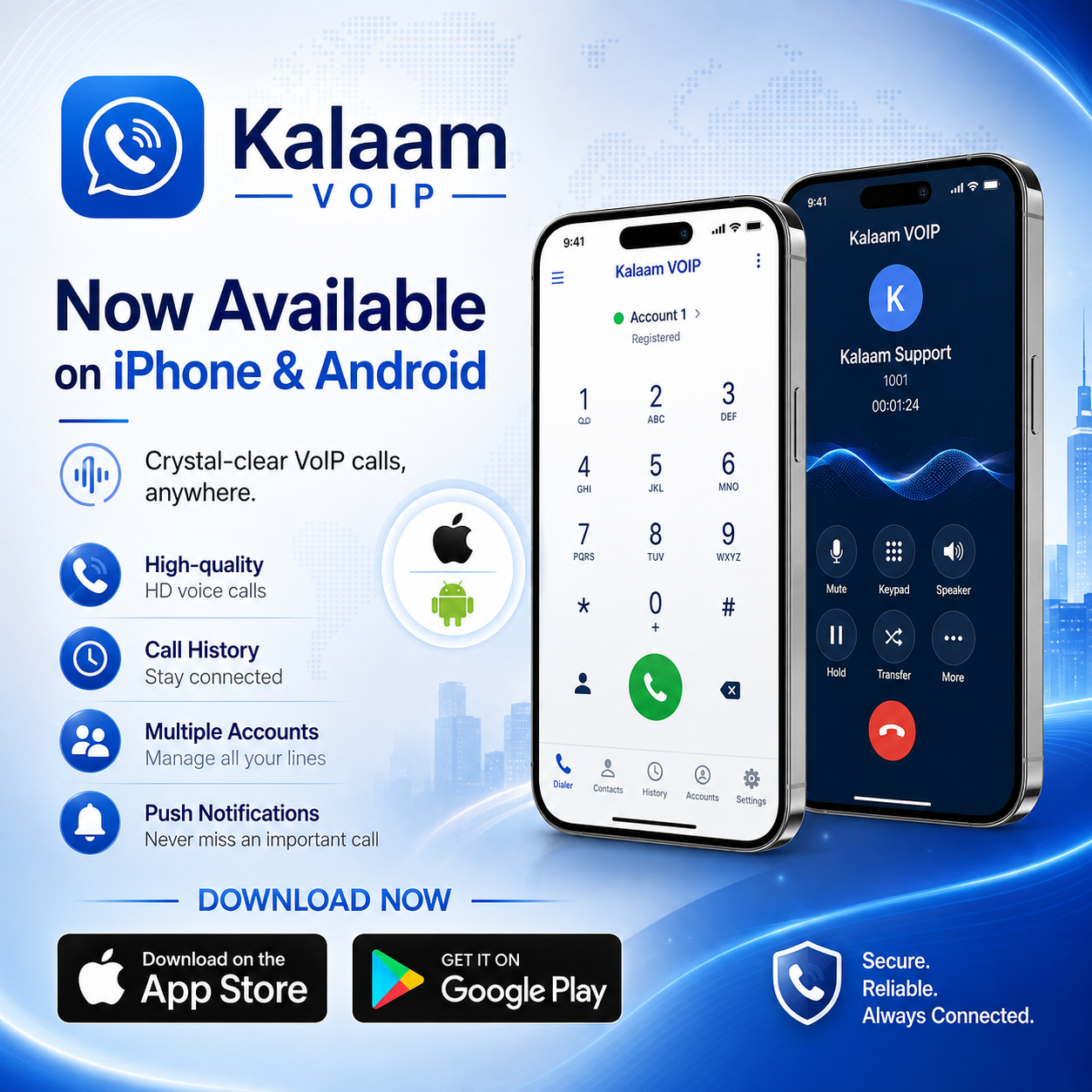
Kalaam VoIP is a SIP softphone I built and shipped to both the App Store and Google Play. It turns a phone into a working extension of a Kalaam Telecom line — no desk phone, no VPN, no laptop.
This is a write-up of what the app actually does, and the parts of the engineering that are genuinely hard when you put SIP on a mobile device.
What it is
A softphone is only interesting if it disappears. Nobody wants to "use a VoIP app" — they want their business number to ring on the device already in their pocket, and they want it to behave like a phone call.
That framing drove almost every decision in the project.
| Platforms | iOS 18+ (iPhone) · Android |
| Category | Business |
| Protocol | Standard SIP over Wi-Fi or mobile data |
| iOS size | 8.1 MB |
| Data collected | None |
| Requirement | An active Kalaam Telecom SIP account |
The App Store build is listed as the first release of Kalaam SIP for iPhone. The Android build is further along — it is at version 1.13 and carries features the iOS release has not caught up to yet.
The hard part is not making a call
Placing an outbound call is the easy half. A SIP INVITE, an SDP offer, an RTP stream, done. Any softphone tutorial gets you there in an afternoon.
The hard part is being reachable.
A desk phone holds a TCP or UDP registration open forever, because it is plugged into a wall and nobody is trying to save its battery. A mobile phone is the opposite: the OS aggressively suspends your process, closes your sockets, and hands you nothing. A SIP client that keeps a socket alive to stay registered is a SIP client that drains the battery and gets killed anyway.
So the whole architecture bends around one question — how does the device find out about a call when the app is not running?
The answer is that it doesn't. The server tells it.
| Carrier | SIP Core | Push Service | Handset | |||
|---|---|---|---|---|---|---|
| INVITE | ||||||
| notify device | ||||||
| wake app | ||||||
| REGISTER | ||||||
| INVITE | ||||||
| 200 OK | ||||||
The app is asleep. The core takes the call, sends a push, the OS wakes the app, the app registers and then receives the INVITE. Everything the user experiences as "my phone rang" happens in that gap, and it has to happen fast enough that the caller doesn't give up.
This is why both store listings lead with reliable incoming calls when the app is closed. It is the feature. Everything else is a dial pad.
CallKit: the call has to feel native
On iOS, an incoming VoIP call that renders as a notification banner is a failed incoming call. Users miss it, and it feels like a toy.
Kalaam VoIP reports incoming calls to CallKit, so they ring through the iPhone's built-in call screen — the real full-screen UI, on the lock screen, with the native answer and decline buttons. The call appears in the system call history. The audio session is handled by the OS rather than fought with.
The constraint CallKit imposes is strict: when the push arrives you must report the call to the system almost immediately, or iOS penalises the app. That means the reporting path cannot wait on a full SIP registration and an INVITE round trip. You report first, then reconcile the signalling underneath.
Getting that ordering right is most of the work on the iOS side.
Bandwidth: why G.729 is a per-account setting
Codec choice is a bandwidth decision, and on mobile data it is a real one.
- Codec
- G.711 (PCMU)
- Payload rate
- 64 kbit/s
- Typical packetisation
- 20 ms
- Quality
- full narrowband, no compression loss
- Codec
- G.729
- Payload rate
- 8 kbit/s
- Typical packetisation
- 20 ms
- Trade-off
- ~8x lower payload for slightly reduced fidelity
Those numbers are payload only — real RTP costs more once you add IP, UDP and RTP headers on every single packet, fifty times a second. The relative difference is what matters, and it is large.
On the Android build, G.729 preference is set per account, not globally. That detail exists because one app can hold several accounts at once, and they are not equivalent: an account used on an office Wi-Fi network and an account used on a metered mobile connection abroad want different answers. A single global codec switch would force the user to keep changing it.
Multiple accounts
The Android app manages up to five SIP accounts in a single install, with the ability to add and switch between numbers.
This sounds like a convenience feature. In practice it is the difference between an app someone tries and an app someone keeps — a technician carrying a personal line and a support line, or someone covering two offices, otherwise has to carry two phones or reconfigure constantly.
It also complicates everything underneath. Five accounts means five registrations, five push routes, and a call model that always knows which identity a call belongs to. Every screen in the app has to answer "which line is this?" without asking the user.
What a registration actually looks like
Signalling is mostly unglamorous. A client tells the server where it is, and the server decides whether to believe it. Here is the shape of it — synthetic values, not a real capture:
REGISTER sip:example-core.invalid SIP/2.0
Via: SIP/2.0/TLS 198.51.100.24:5061;branch=z9hG4bK-3f21a9
From: <sip:1001@example-core.invalid>;tag=8842aa
To: <sip:1001@example-core.invalid>
Call-ID: 5f2c9a41-demo@handset.invalid
CSeq: 2 REGISTER
Contact: <sip:1001@198.51.100.24:5061;transport=tls>
Expires: 600
User-Agent: KalaamVoIP
Max-Forwards: 70
The Expires value is the interesting field on mobile. Too short and the handset wakes constantly to re-register, burning battery for nothing. Too long and the server's view of where the device is goes stale, so calls get routed to an address that no longer answers. Push-driven wake-up is what lets that value be generous instead of aggressive.
Features that ship today
Both platforms
- Make and receive voice calls over Wi-Fi or mobile data
- Push notifications for incoming calls, including when the app is closed
- Multiple account support
- Full call history — recents, missed and answered
- Dial pad with contact lookup
iOS
- Native incoming call UI through CallKit
- Contacts integration for one-tap dialing
Android
- Up to five SIP accounts
- Per-account G.729 codec preference
- Call recording — record, play back and share
- Bluetooth, wired and USB audio device support during calls
- Call hold and resume, mute, speakerphone
- DTMF tones
- Grouped recents and a missed-call badge on the app icon
- Material 3 design, edge-to-edge, with dark mode
DTMF deserves a note. It looks trivial and it is not optional — without reliable tone support you cannot navigate an IVR, enter a conference PIN, or reach an extension. A softphone that cannot send digits mid-call is unusable for business telephony, which is exactly the audience this app targets.
Privacy
Both listings declare the same thing: no data collected, and nothing shared with third parties.
For a telephony app this is a deliberate architectural position rather than a policy statement. Call metadata is unusually sensitive — who called whom, when, and for how long is a complete map of someone's professional life. The app is a client for the user's own SIP account, and there is no analytics pipeline sitting behind it collecting that map.
What I would tell anyone building one
Design around the push path first. Registration strategy, battery behaviour and wake-up latency are the actual product. Do not build the dial pad first and bolt reachability on afterwards.
Use the platform's telephony layer. CallKit on iOS exists so your calls behave like calls. Reimplementing an incoming-call screen is both more work and a worse result.
Codec choice belongs to the account, not the app. Users on different networks need different answers at the same time.
Test on a bad network deliberately. Everything works on office Wi-Fi. Mobile data with packet loss and a NAT that expires bindings early is the real environment.
Get it
- iOS — Kalaam VoIP on the App Store (requires iOS 18.0 or later)
- Android — Kalaam VOIP on Google Play
An active Kalaam Telecom SIP account is required. For account setup or support, contact Kalaam Telecom on +973 16100100.